Icon of program: What To Do

What To Do for Windows

  • Free
  • 5
    1
  • 333
  • V1.04
Free Download for Windows

View an ad to download for free

Efficient Task Management with What To Do

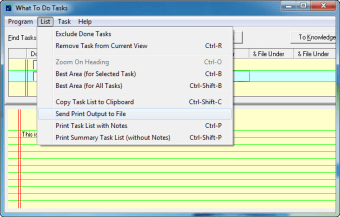
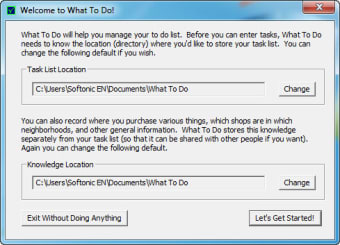
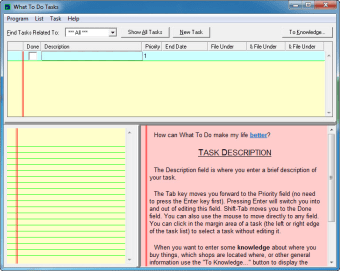
What To Do is a free productivity application designed for Windows users, focusing on enhancing task organization and management. This program falls under the Agenda & Calendars category, providing users with an intuitive interface to create, manage, and prioritize their daily tasks effectively. With its straightforward design, What To Do allows users to keep track of their responsibilities and deadlines effortlessly.

Top Recommended Alternative

The application offers various features that cater to productivity needs, including the ability to add, edit, and delete tasks, set due dates, and categorize items for better organization. Its user-friendly layout ensures that even those new to task management software can navigate and utilize its capabilities with ease. Overall, What To Do serves as a valuable tool for anyone looking to improve their task management skills.


 0/4

App specs

Also available in other platforms

Program available in other languages


Icon of program: What To Do

What To Do for PC

  • Free
  • 5
    1
  • 333
  • V1.04
Free Download for PC

View an ad to download for free


User reviews about What To Do

Have you tried What To Do? Be the first to leave your opinion!

Add review

You may also like

Alternatives to What To Do

Explore Apps

Latest articles

Laws concerning the use of this software vary from country to country. We do not encourage or condone the use of this program if it is in violation of these laws.
Softonic

Is What To Do safe?

95/100

Score result: Clean

This file passed a comprehensive security scan using VirusTotal technology. It is safe to download.

  • Virus free
  • Spyware free
  • Malware free
  • Verified by Security Partners

    VirusTotal logo

Scan Info

Last scan
Wednesday, November 8, 2023
Scan provider
VirusTotal · Full report

File Integrity

File
w2dsetup.exe
SHA256
1cffd93e4229c4e5cb51152373c5cc76bdb81e8eec3af61a71d351815bb11811
SHA1
0a5290df8cc2c39ce1ca1affa94951ecd5f6f58d

Softonic security commitment

What To Do has been thoroughly scanned by our advanced security systems and verified by industry-leading partners. This file comes from the official developer and has passed all our security checks, showing no signs of viruses, malware, or spyware. For more information, visit our Security and Trust Center

Signed in to Softonic as